
Ground control software
Shark GCS
Plan, operate, and review UAV missions from one ground control application.
Mission control built around the operator
Shark GCS is a ground control and mission management application for copter, fixed-wing, and VTOL platforms. It works with Shark UAV systems, Shark flight controllers, and selected third-party controllers.
The interface keeps essential flight information, vehicle status, warnings, and mission controls in view without exposing every internal autopilot parameter.
Operators can plan missions, monitor aircraft, and issue commands through workflows designed for flight operations.
Every stage of mission planning
Plan
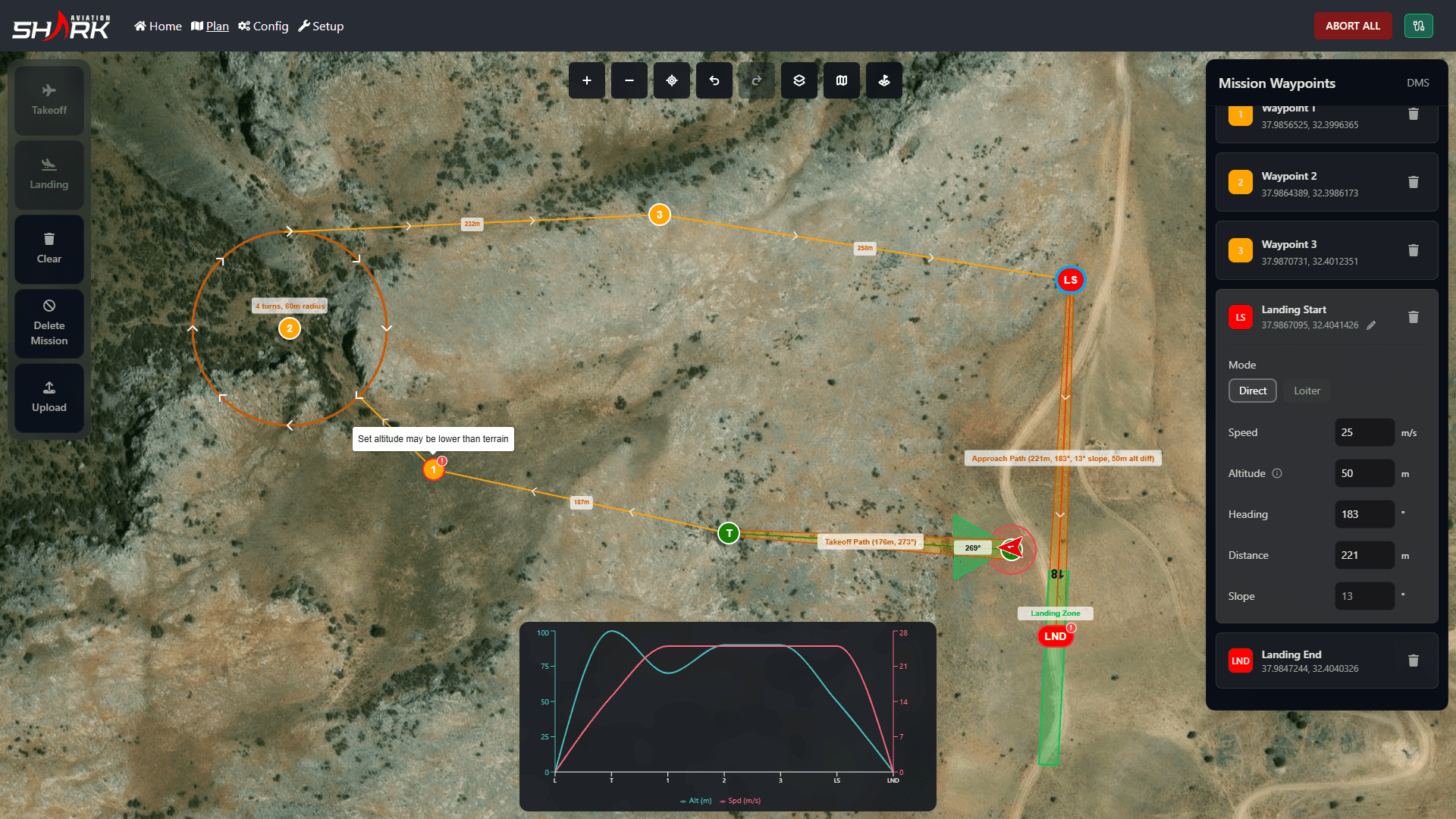
The mission planner brings mission creation, operational commands, reusable presets, terrain-aware assistance, and offline access into one workflow.
Terrain-aware planning assistance warns when terrain conditions may create altitude-related risk or inconsistency. It supports planning with warnings; it does not provide automatic terrain following.
Mission presets are stored locally. Signed-in users can also sync them through a cloud account. Cloud sync applies only to presets, not logs, video, vehicle configuration, telemetry, or checklists.
Planned missions can be tested in supported SITL simulation environments before field deployment.
Operational checklists can be adapted to different aircraft, mission profiles, and operating routines.
Terrain-Aware Mission Planning
Terrain information informs planning; operators are warned when altitude risk or inconsistency appears.
Mission Presets
Save missions locally and reuse them later. Sync presets to the cloud when signed in and connected.
SITL Testing
Validate planned missions in supported simulation environments before the sortie.
Operational Checklists
Create checklist profiles for different aircraft, missions, and operating routines.
Operate different aircraft from one interface
Operate
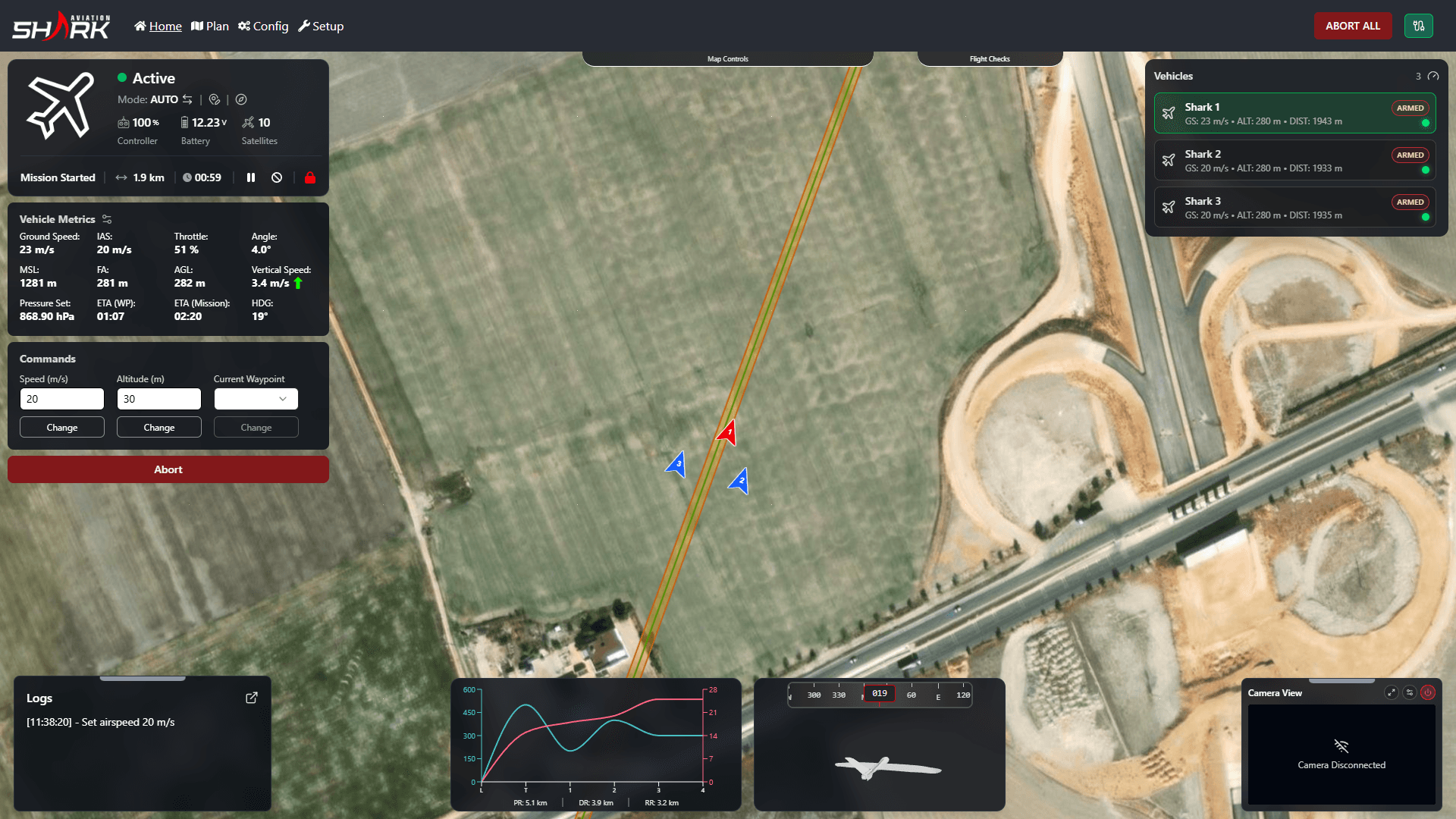
Multiple aircraft can connect to the same Shark GCS session. Copters, fixed-wing aircraft, and VTOL platforms can operate in the same mission environment.
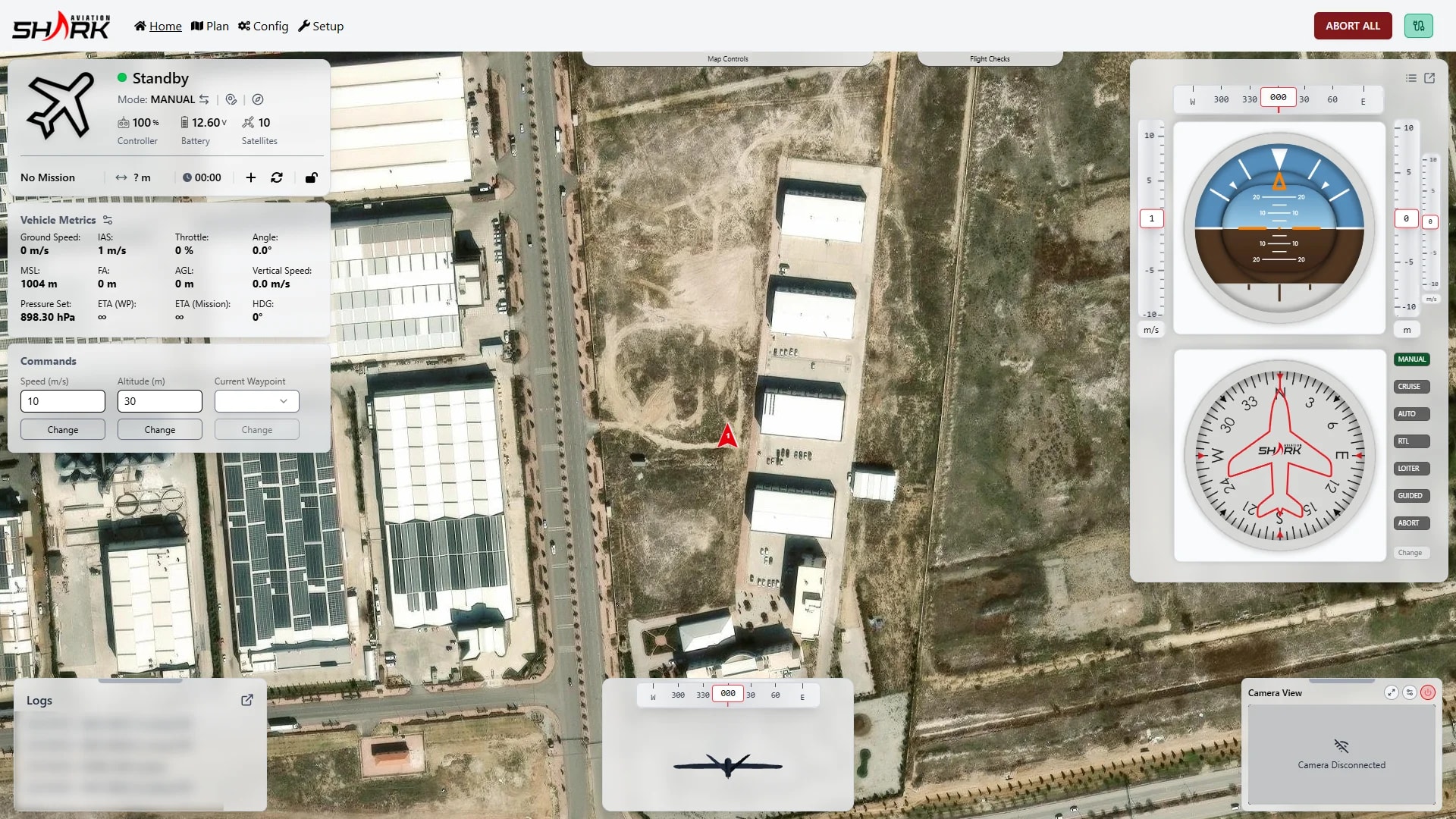
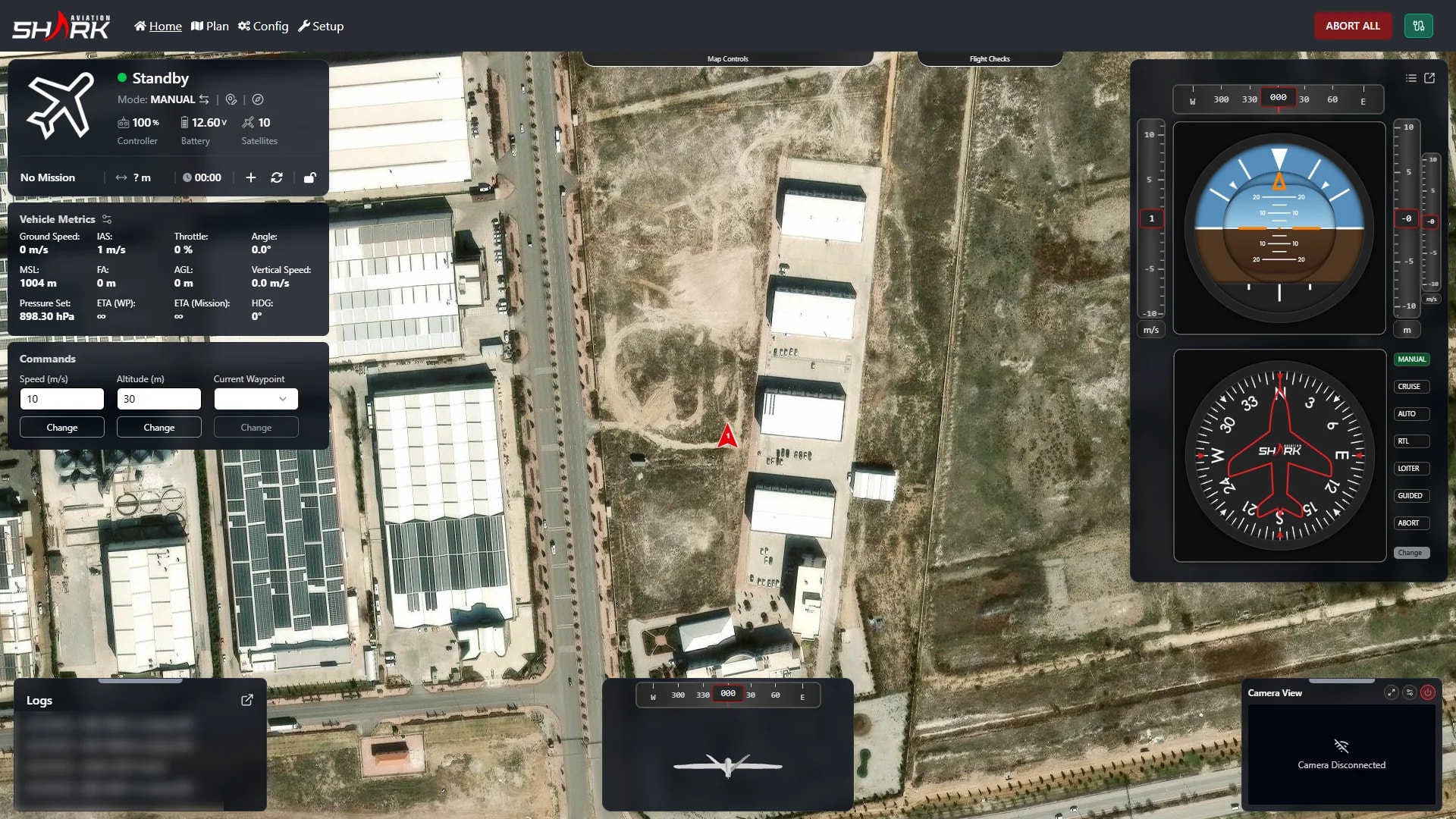
Live telemetry shows altitude, speed, position, orientation, flight state, and system status in a clear operational view.
Operators can adjust altitude and speed, manage mission actions, and control vehicle state directly from the interface.
One physical controller can connect to the computer running Shark GCS. The operator selects the active aircraft; controller input routes to that aircraft only. Because only one aircraft is manually controlled at a time, there is no need for a separate controller for each vehicle.
Live camera feeds from network RTSP streams and HDMI video inputs can be viewed in the same interface.
Mixed Fleet Operations
Connect copter, fixed-wing, and VTOL platforms in the same session.
Live Telemetry & Control
Monitor essential flight data and issue operational commands from one view.
One Controller, Multiple Aircraft
Select the active aircraft; route stick input to that vehicle only.
Video Inside the Mission Environment
RTSP and HDMI feeds displayed inside Shark GCS.
Manage aircraft independently or as a fleet
Coordinate
Shark GCS supports multiple connected aircraft even when they are not flown as a coordinated fleet. Operators can connect several aircraft, inspect state, monitor telemetry, switch between vehicles, issue vehicle-specific commands, and manage each aircraft independently.
Coordinated Fleet Operations add common monitoring, coordinated mission supervision, simultaneous mission context, position coordination, and multi-aircraft situational awareness.
Coordinated Fleet Operations do not provide decentralized swarm intelligence. No fixed maximum fleet size is stated here.
Independent aircraft management
Monitor, select, and command each connected aircraft independently.
Coordinated Fleet Operations
Shared mission context and situational awareness across the connected fleet.
Review each flight in detail
Review
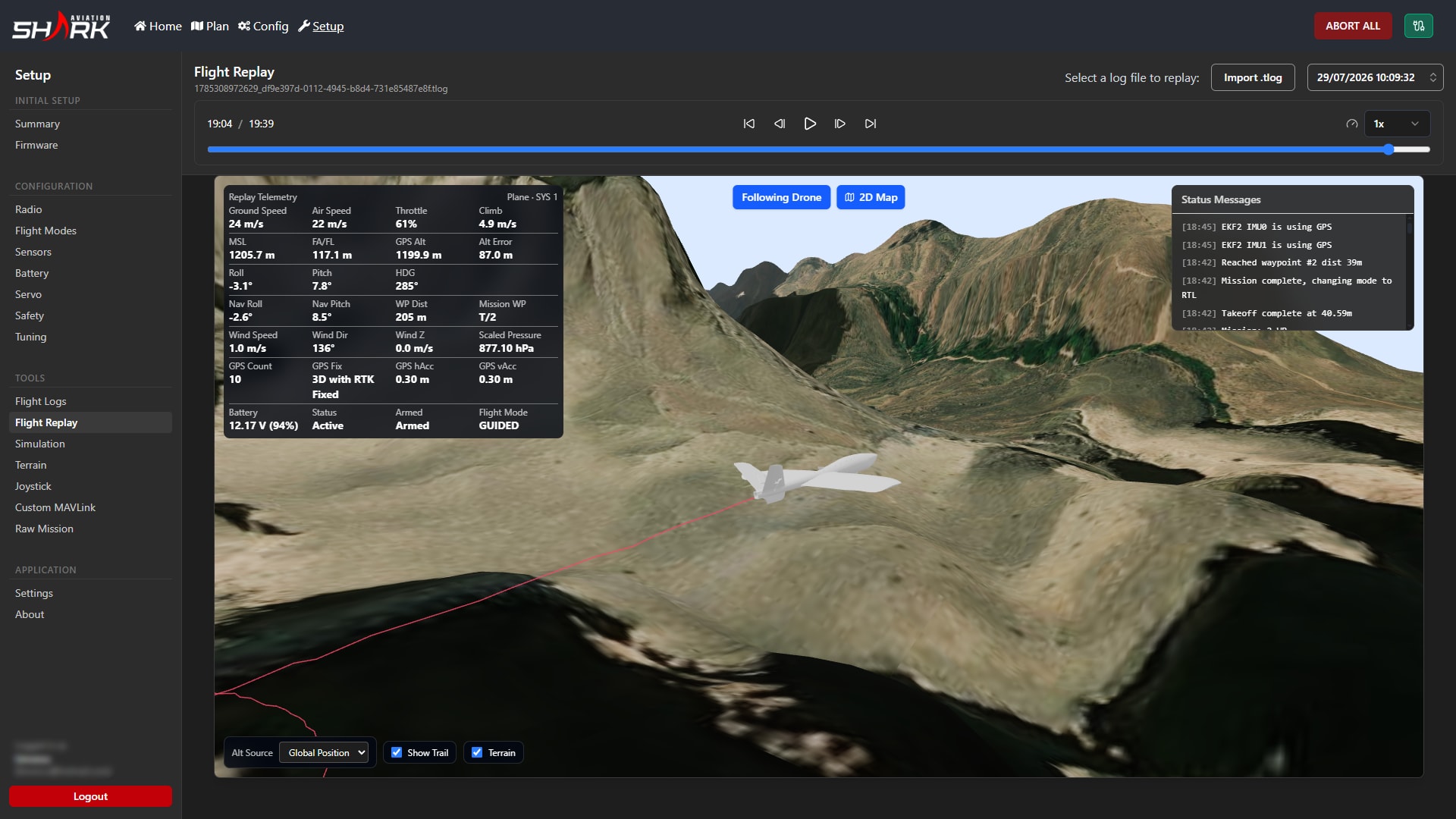
After a flight, operators can review telemetry graphs, the flight path, orientation, speed, altitude, event markers, and a 3D mission replay.
The 3D replay places the recorded route over a terrain map, making it easier to examine where and when events occurred.
Video is not synchronized into the replay.
Detailed Post-Flight Analysis
Graphs, path, orientation, speed, altitude, and event markers.
3D Flight Replay
Terrain-based spatial review of the recorded flight and telemetry state.
Full field operation without internet
Work anywhere
Shark GCS works offline in the field. Mission planning, telemetry, vehicle control, video, mission execution, post-flight analysis, and locally stored presets remain available without internet access.
Cloud synchronization requires connectivity and currently applies to mission presets only.
A light interface mode improves readability outdoors. Energy Saver Mode reduces rendering, refresh rates, animation, and background activity to limit power use on battery-operated field computers.
Desktop support covers Windows, macOS, and Linux.
Offline operation
Core operational workflows remain available without a network.
Light UI mode
Readable light theme for bright outdoor conditions.
Energy Saver Mode
Reduces processing and power use on battery-operated field computers.
- Windows
- macOS
- Linux
Designed for the Shark system
Shark GCS is designed for Shark UAVs and flight control systems, with support for selected third-party controllers. It does not claim universal autopilot compatibility.
Shark Aviation uses Shark GCS in its own flight operations and develops the software based on that operational experience.
It may be supplied as a standalone product or together with Shark UAV systems.
Shark SkyLine FCU Series
Flight control for Shark platforms and mission commands.
Shark Link
Data link between aircraft and the ground station.
Shark UAV platforms
Native operational integration across Shark airframes.
FAQ
Key details about compatibility, operation, and deployment.
Is Shark GCS right for your operation?
Contact us about standalone use, platform integration, or institutional procurement.